


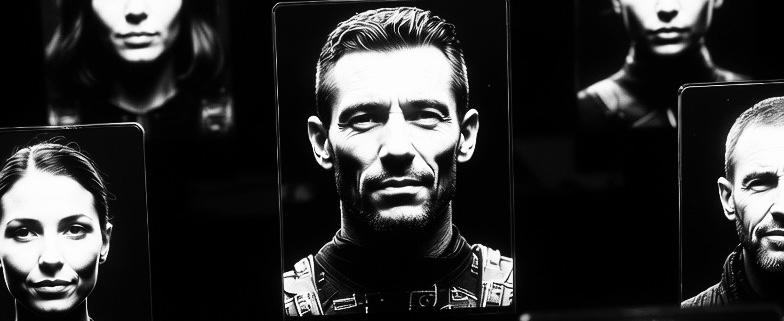
vali.now offers proactive protection for individuals, companies, and organizations with Defeat Deepfakes.
Defeat Deepfakes – Security for Corporate Communication
Defeat Deepfakes is a security application that verifies the authenticity of conversation partners in real-time during a live video chat. It protects companies from manipulated feeds and deceptively realistic deepfakes by simultaneously verifying two aspects: the camera used and the person depicted.
1. A Secure Start: The Profile is Created in Two Steps
Security begins with the device setup. The security profile is created in two clear steps, which always respect the user’s control and consent and comply with all GDPR requirements.
- The IT department sets up the camera: When a new device is deployed, the Defeat Deepfakes software automatically starts in the background. IT initiates the process, and the app automatically takes several reference photos with the camera. These recordings contain no personal data and can show any subject. From this, the software calculates a unique “camera fingerprint”—an immutable digital signature of the hardware.
- The user links their face: facial recognition is not for login, but it supports the organization’s system. When the user logs in to their device for the first time, the app recognizes their face—again, only with their consent—and simply links this feature to the camera fingerprint already created by IT. This way, the system knows which face typically corresponds to each camera.
2. Security at the Touch of a Button: The User is in Control
During a video chat, the user decides when a security check takes place. With a single click, they start the analysis process. The app also obtains consent to record the screen for this purpose.
- The analysis runs in the background: What happens technically remains invisible to the user. The app takes screenshots of the video stream and checks two things: Does the camera match the stored profile? And is the face in the image the same one that normally belongs to this camera?
- No assumptions, only facts: The app does not assume that a real person is sitting at the other end. The video feed could therefore also be synthetic. Facial recognition is used solely to identify the person depicted and match them to the known camera owner.
3. Clear Warning in Case of Discrepancies
The user only receives a message if something is wrong. The app makes a simple decision:
- “Everything is OK”: If the camera and face match the known profile, nothing happens—the communication can continue undisturbed.
- “Warning in case of danger”: If the camera deviates from the expected one or the face does not match the registered camera owner, the user receives a clear warning. This could indicate a deepfake, a virtual camera, or an identity thief. They are prompted to verify the identity of their conversation partner outside of the chat (out-of-band communication).
4. Central, Secure Data Storage
The security profiles—the link between the camera fingerprint and the associated facial information—are stored on central, highly secure servers. Access is severely restricted and occurs exclusively via secure connections, such as a corporate VPN, to ensure the confidentiality and integrity of data at all times.
Defeat Deepfakes gives users confidence that, in video calls, they are speaking to the right person and to their real camera. It adds a simple yet highly effective layer of protection to video communication, while keeping the user in control at all times.
You want to learn more about Defeat Deepfakes?